Next Generation of Aston Martin
Aston Martin Interaction Redesign
Role
UI/UX Designer, 3D Designer
Time
2025 Spring
Tools
Figma, C4D, Protopie
Project Type
Group Project
Overview
This project undertakes a comprehensive redesign of Aston Martin’s driver-facing interactive ecosystem, encompassing the steering wheel, dashboard, and central display. Adopting a ground-up approach, the process bridges physical form and digital interface to define a next-generation human–machine interaction system.
In this project, I led the redesign of the steering wheel, focusing on the user experience of its control interface. My responsibilities included defining the interaction logic of the steering wheel inputs, as well as designing the communication framework and animation behaviors between the steering wheel and the dashboard.
The challenge of this project lies in how to integrate physical interactions with the digital realm while maintaining Aston Martin’s signature brand style. The product will address this challenge on three levels.
Dashboard
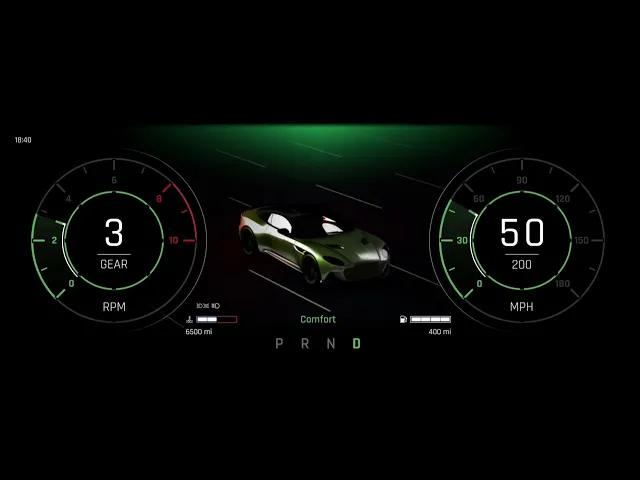
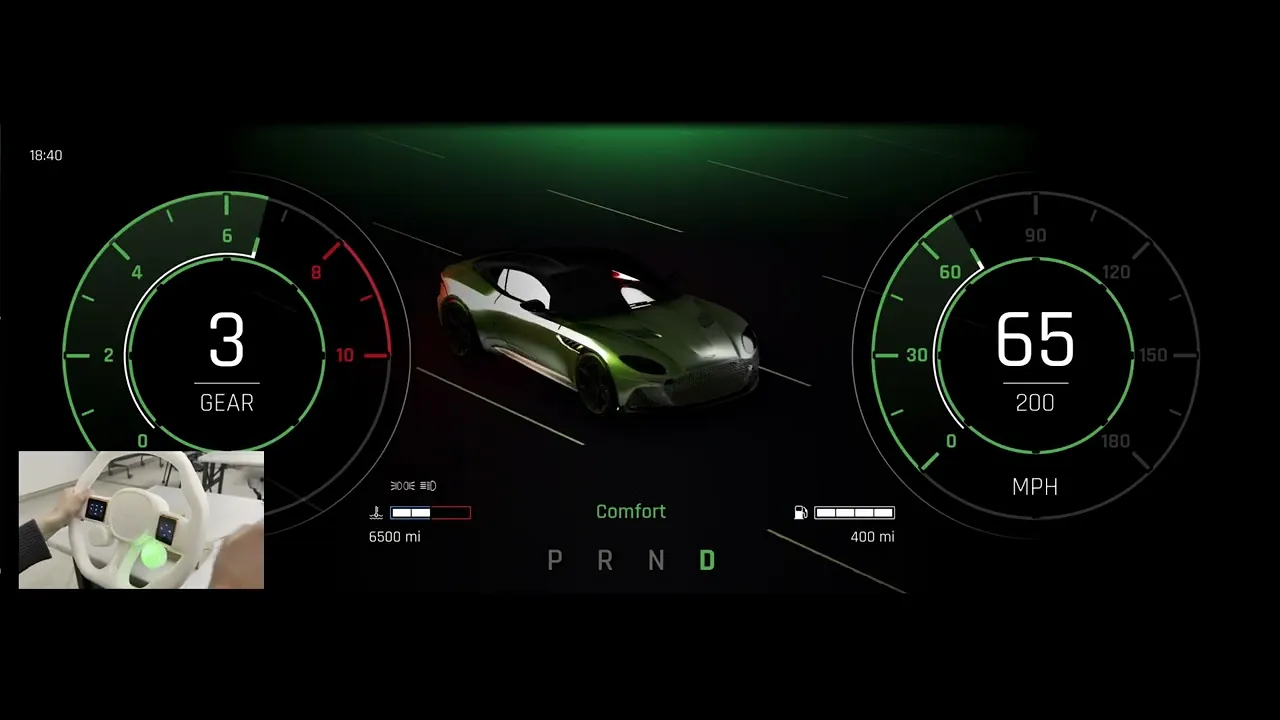
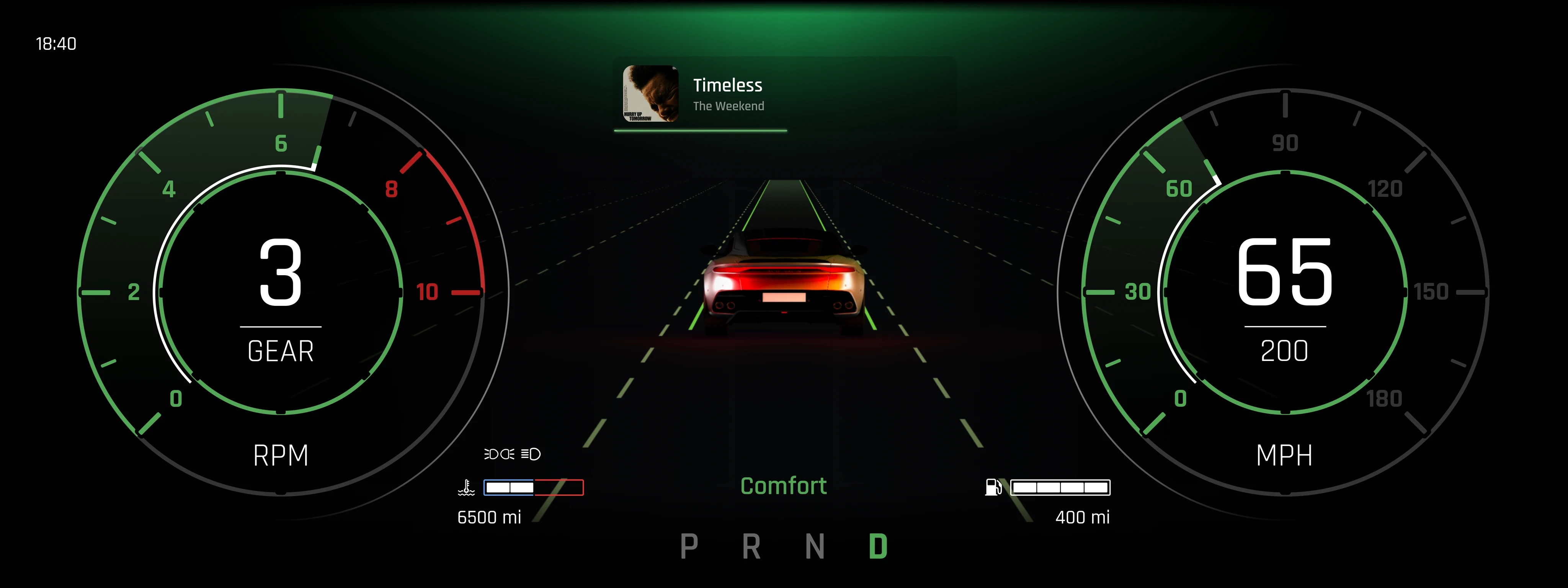
The dashboard is one of the most frequently used interfaces by users while driving, so we enhanced the interface and added more features, including the display of different information when switching between the 3 different modes
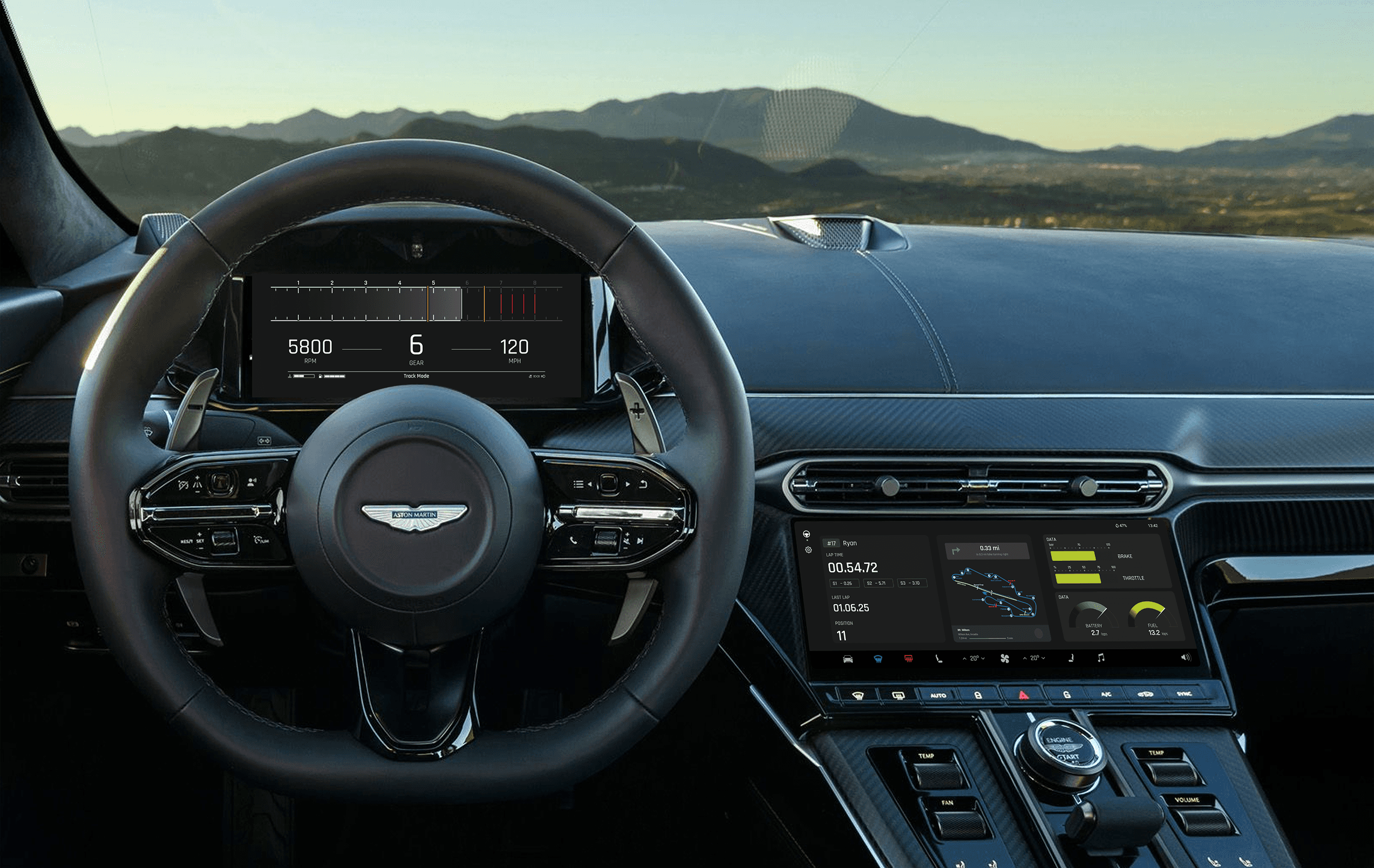
The dashboard is designed to adapt seamlessly to different driving scenarios. Users can switch between GT Mode, Sport Mode, and Track Mode, with each mode offering a uniquely tailored interface that matches the needs of the moment
GT Mode
Sport Mode
Sport Mode
GT Mode
The dashboard is one of the most frequently used interfaces by users while driving, so we enhanced the interface and added more features, including the display of different information when switching between the 3 different modes
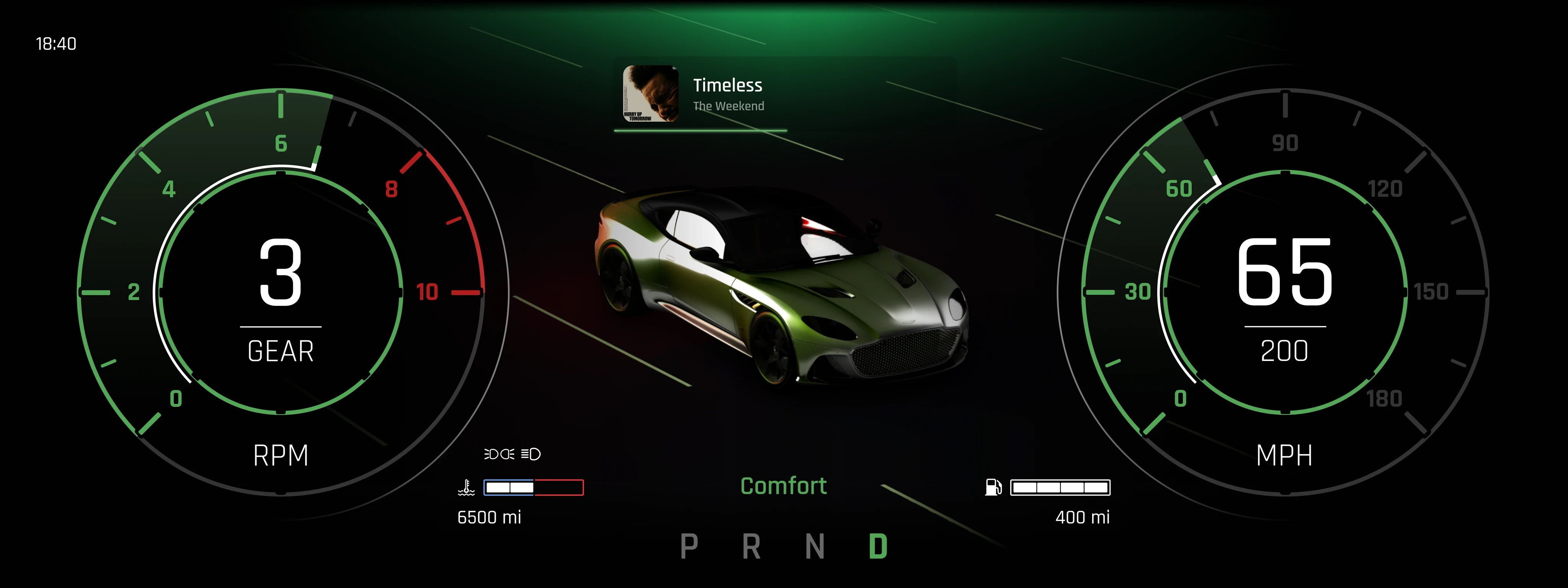
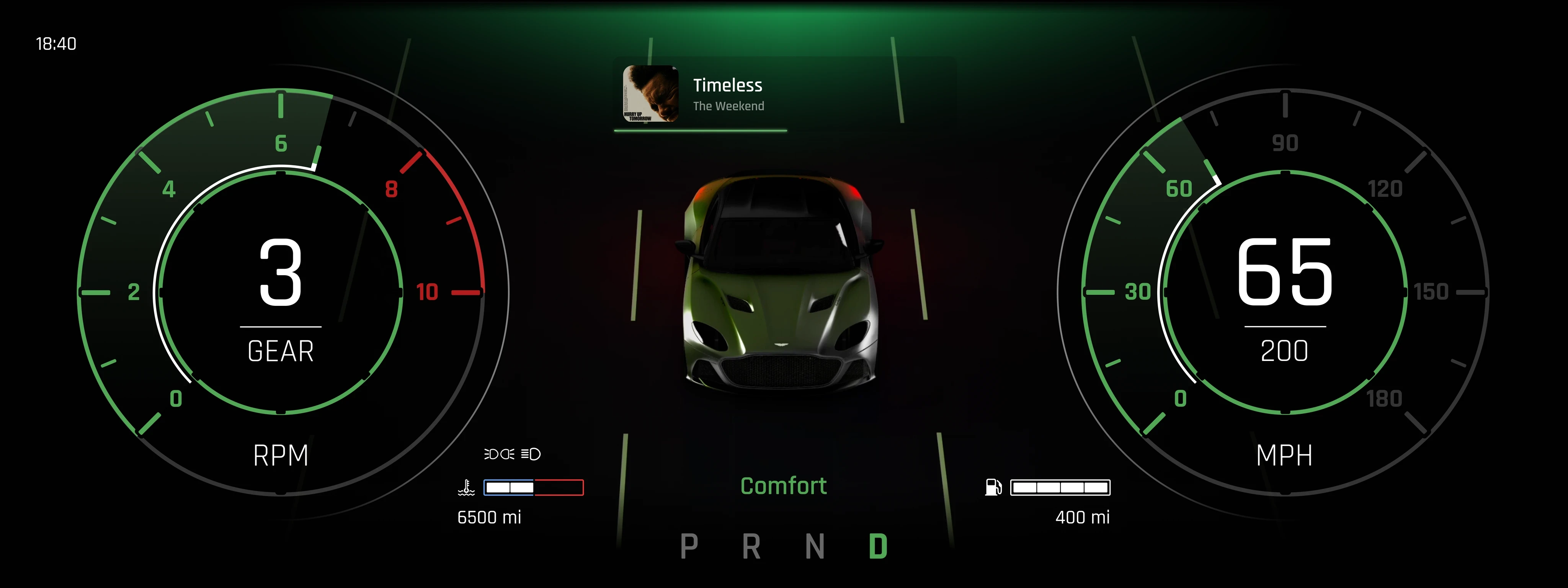
Feature
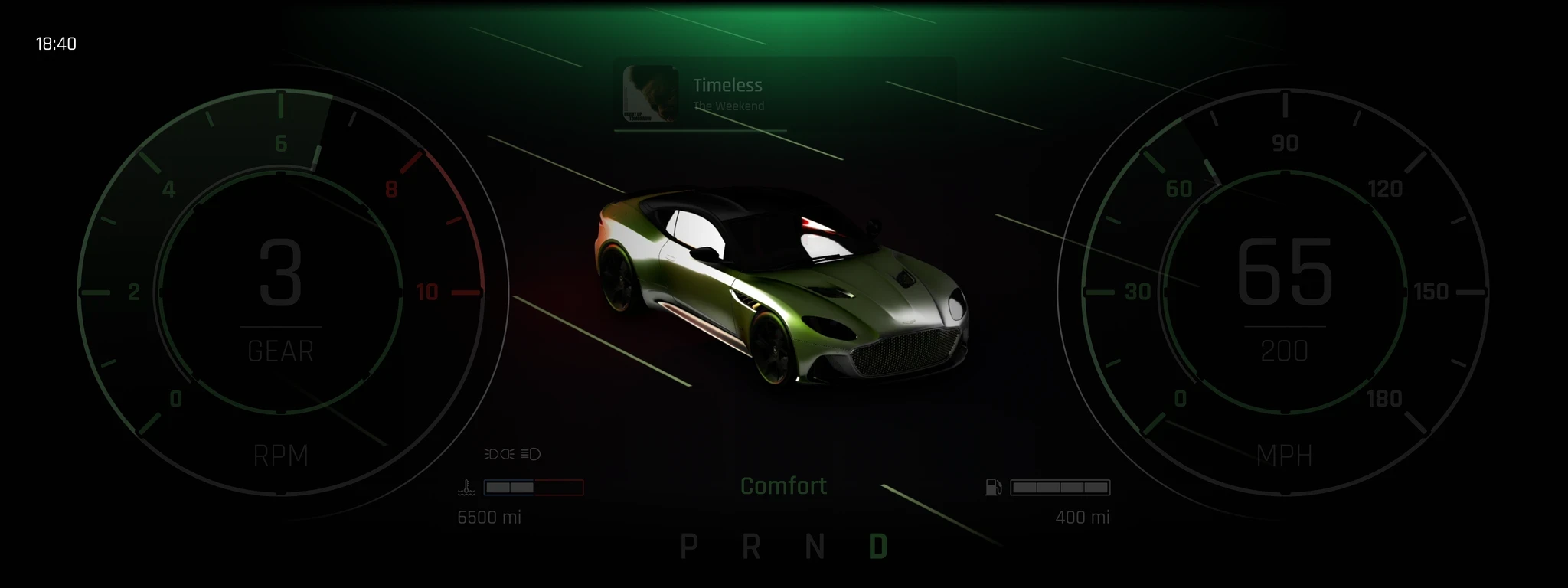
Real-Time 3D Preview
The center of the dashboard is a real-time 3D model of the vehicle, which reflects the car’s status and driving behavior. Road detection and assistance functions are also available
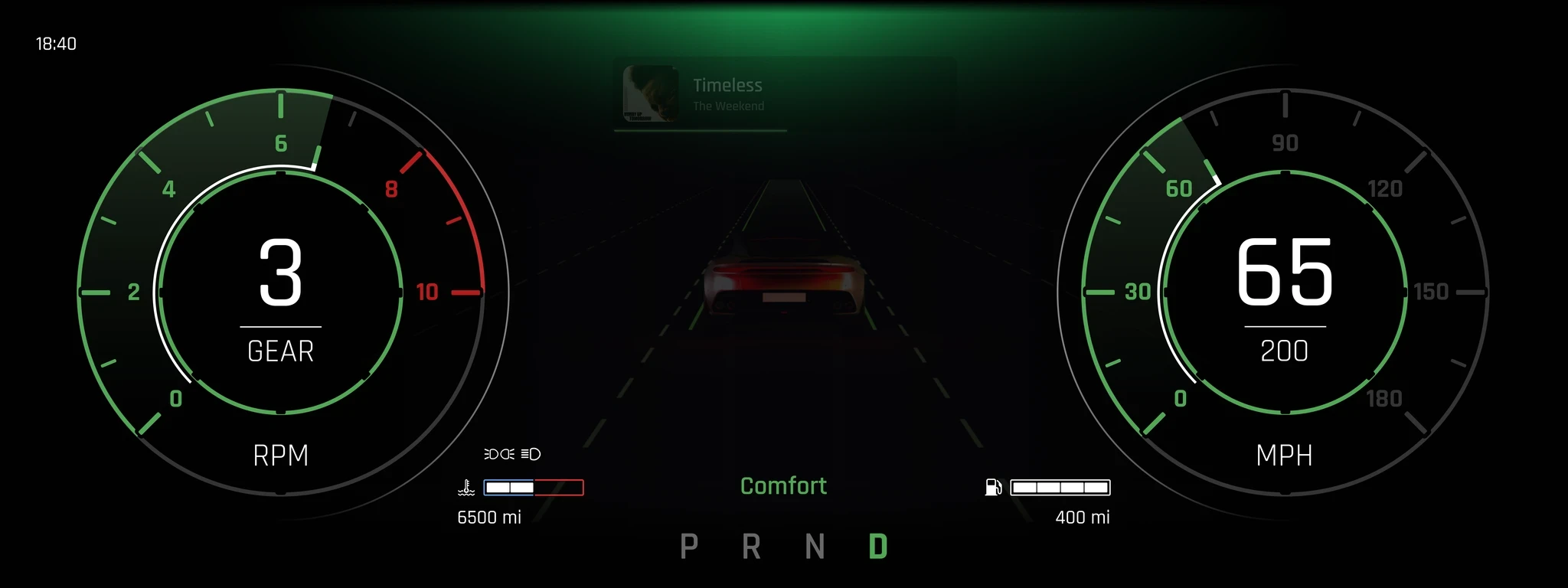
Driving Information Layout
Core performance data such as RPM, speed, and gear are displayed clearly on both sides of the screen—structured for glanceable, real-time understanding while maintaining a clean visual hierarchy.
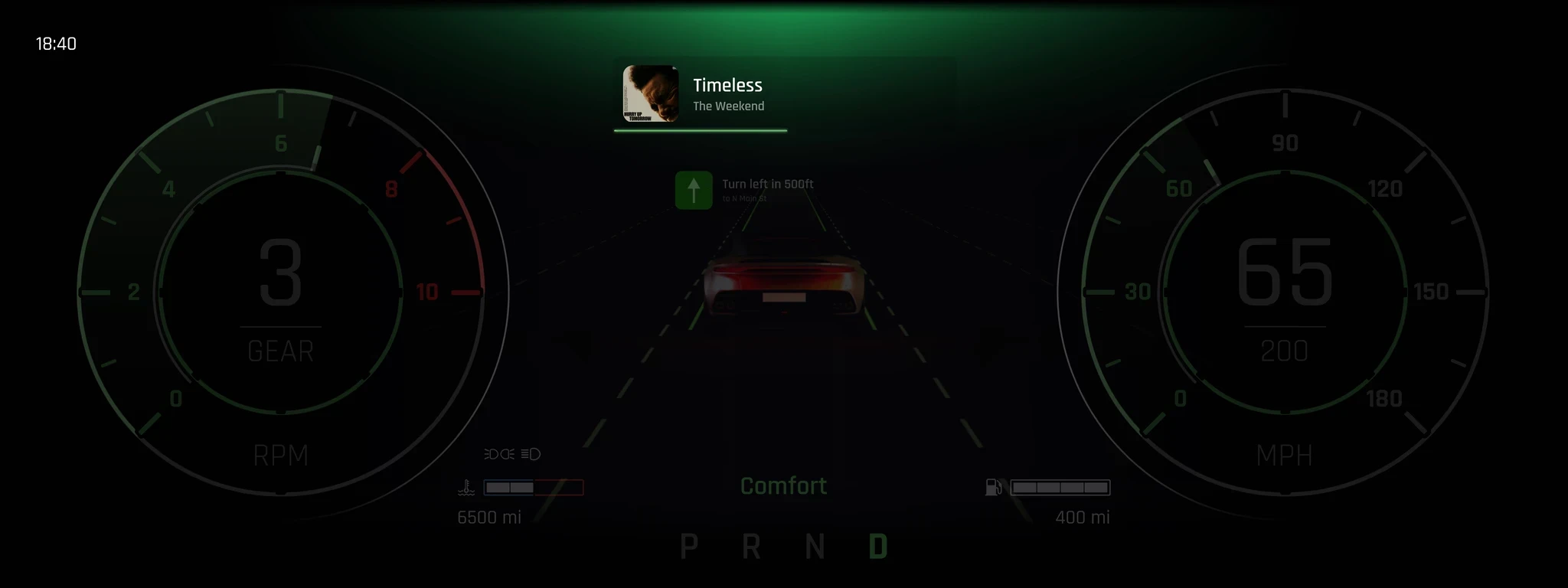
Integrated Media & Navigation Widget
A dedicated widget at the top shows the current music playback. When navigation is active, it automatically switches to turn-by-turn prompts, ensuring the driver gets essential guidance without distraction.
Sport Mode
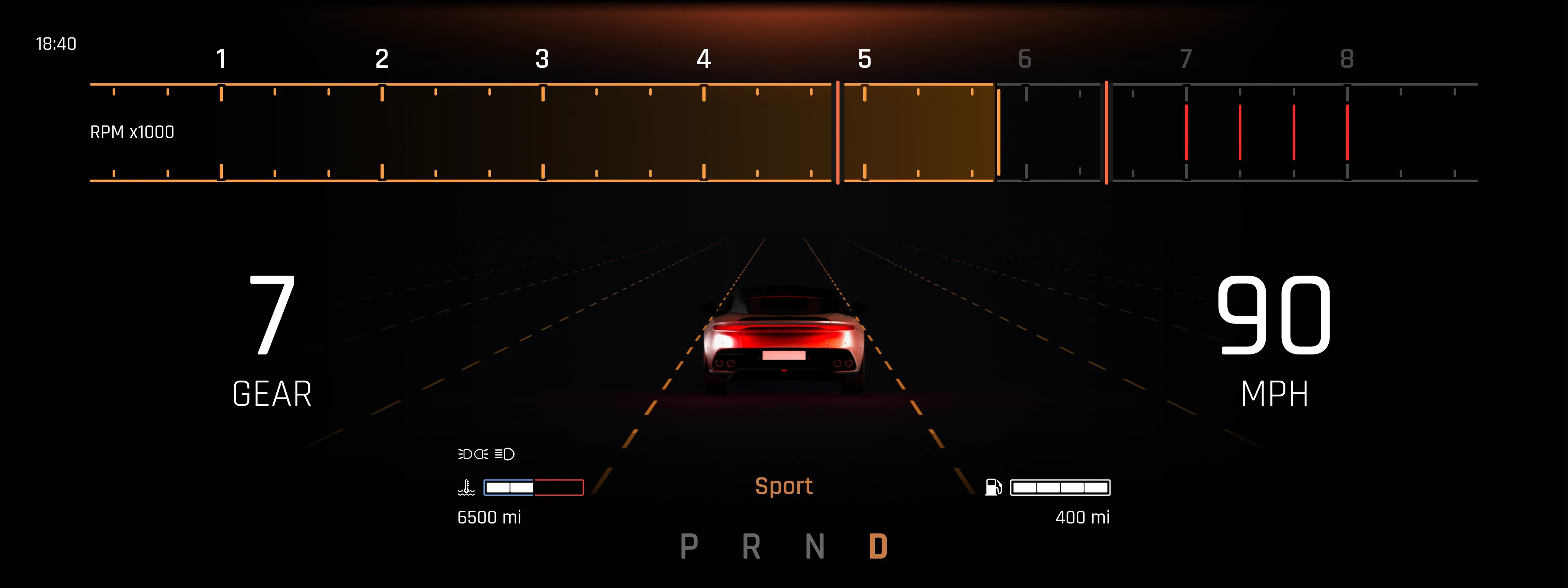
Sport Mode is designed to heighten driver engagement and responsiveness, emphasizing performance-oriented feedback and visual energy.
Feature
Performance-Focused
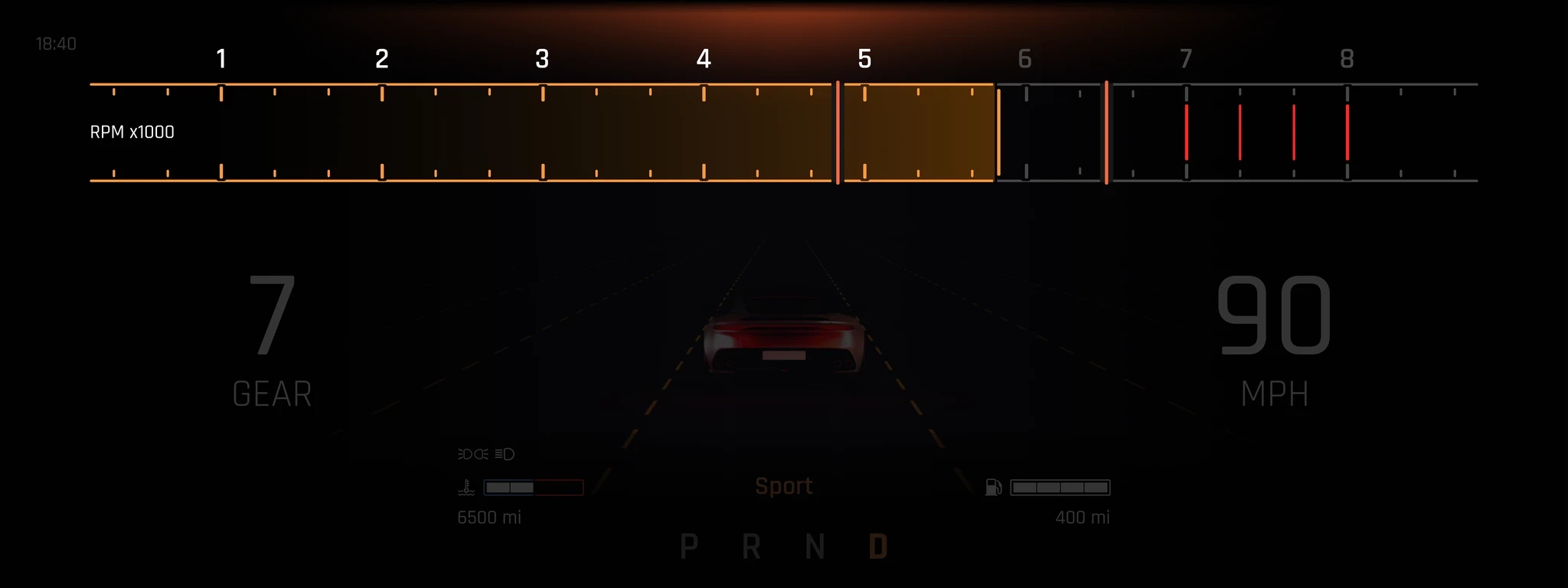
To help users stay connected with the vehicle’s dynamics, the RPM bar is prominently enlarged across the top of the dashboard—making engine behavior more visible and readable during spirited driving.
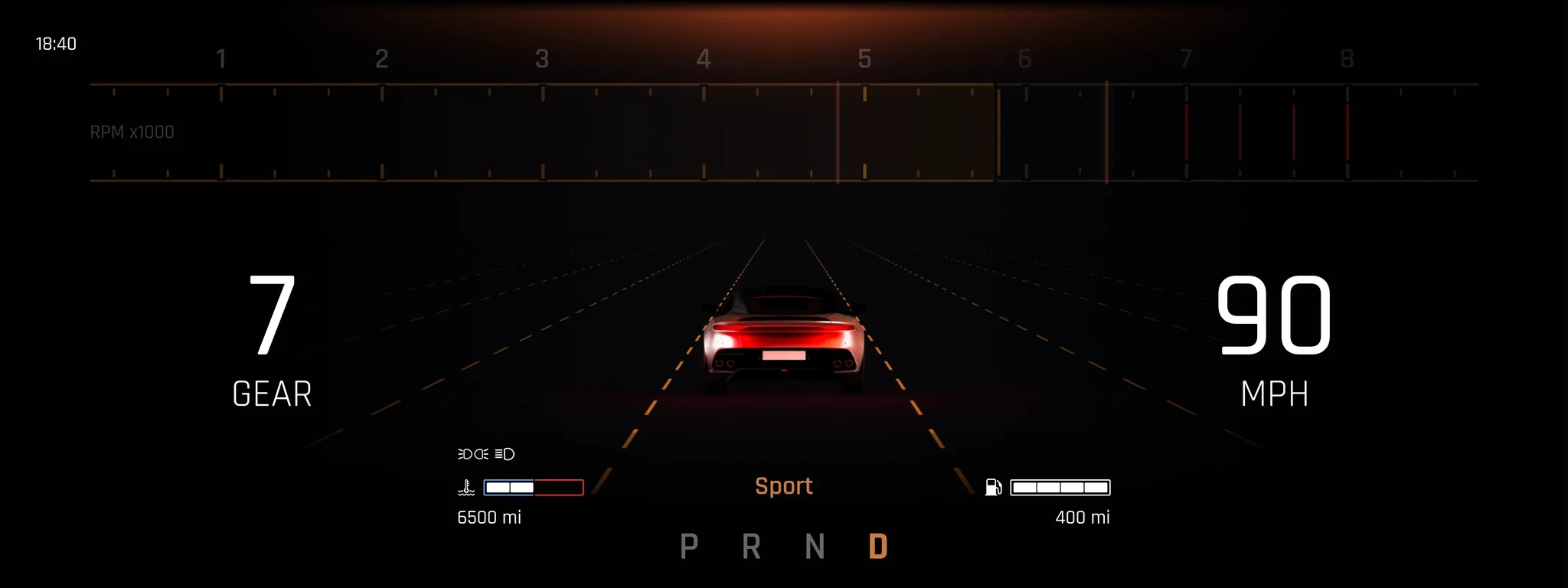
Driving Metrics
Speed, gear, and driving stats remain clearly presented, while the 3D car model and road visualization keep the interface immersive without distraction.
Track Mode
Track Mode is engineered for competitive driving, where every detail matters and distractions are minimized.
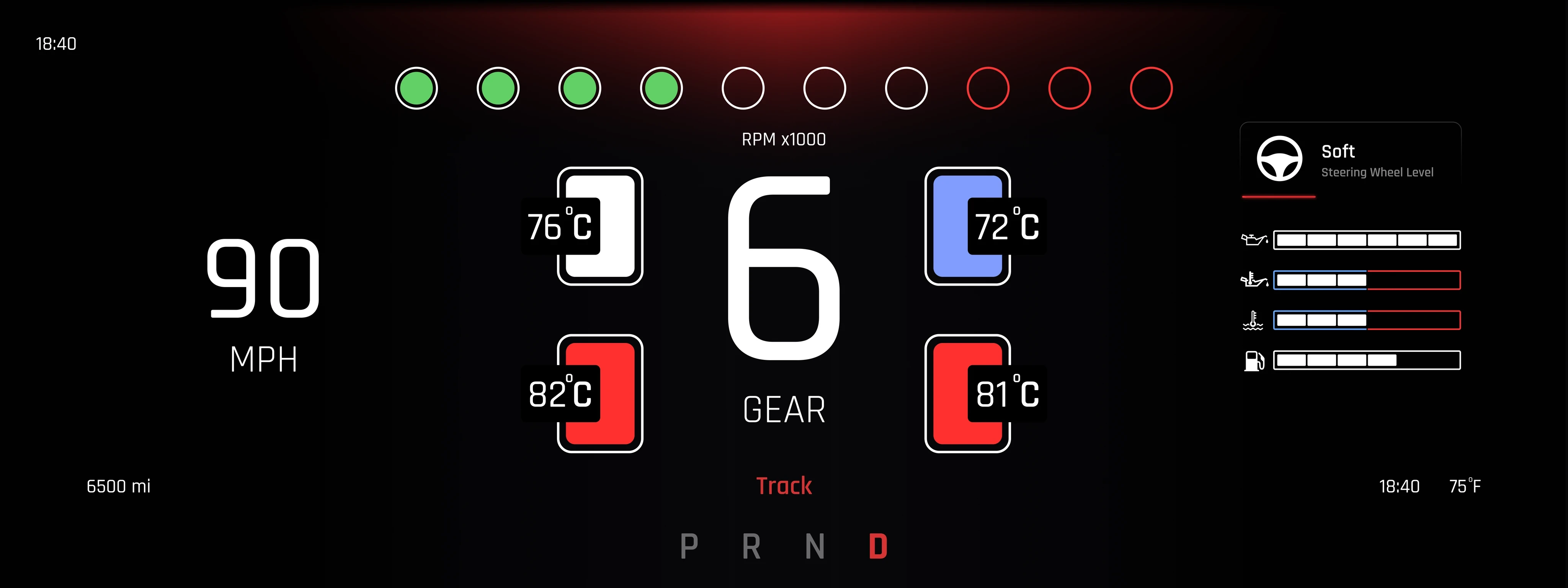
Feature
Performance-Focused
To help users stay connected with the vehicle’s dynamics, the RPM bar is prominently enlarged across the top of the dashboard—making engine behavior more visible and readable during spirited driving.
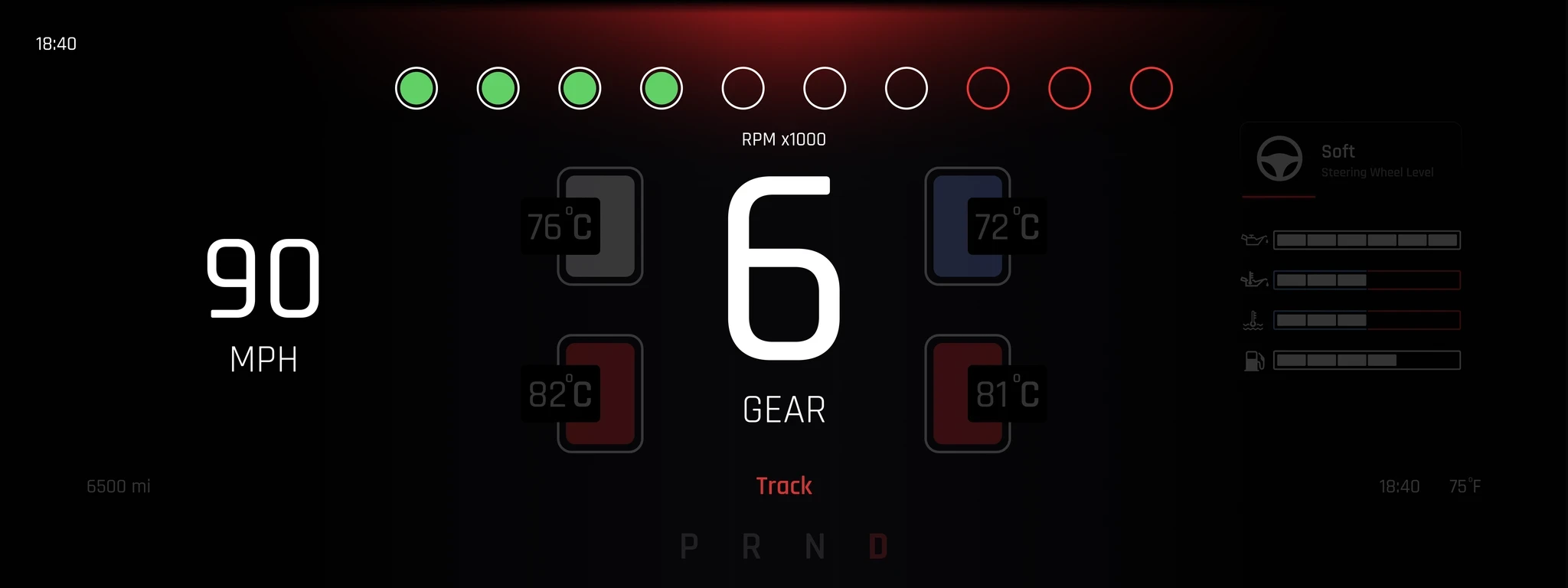
Performance Feedback
At the core of the interface is an oversized gear display, paired with a circular RPM indicator inspired by real GT3 race cars. This layout mimics professional racing environments, allowing drivers to monitor engine behavior and shift timing instantly.
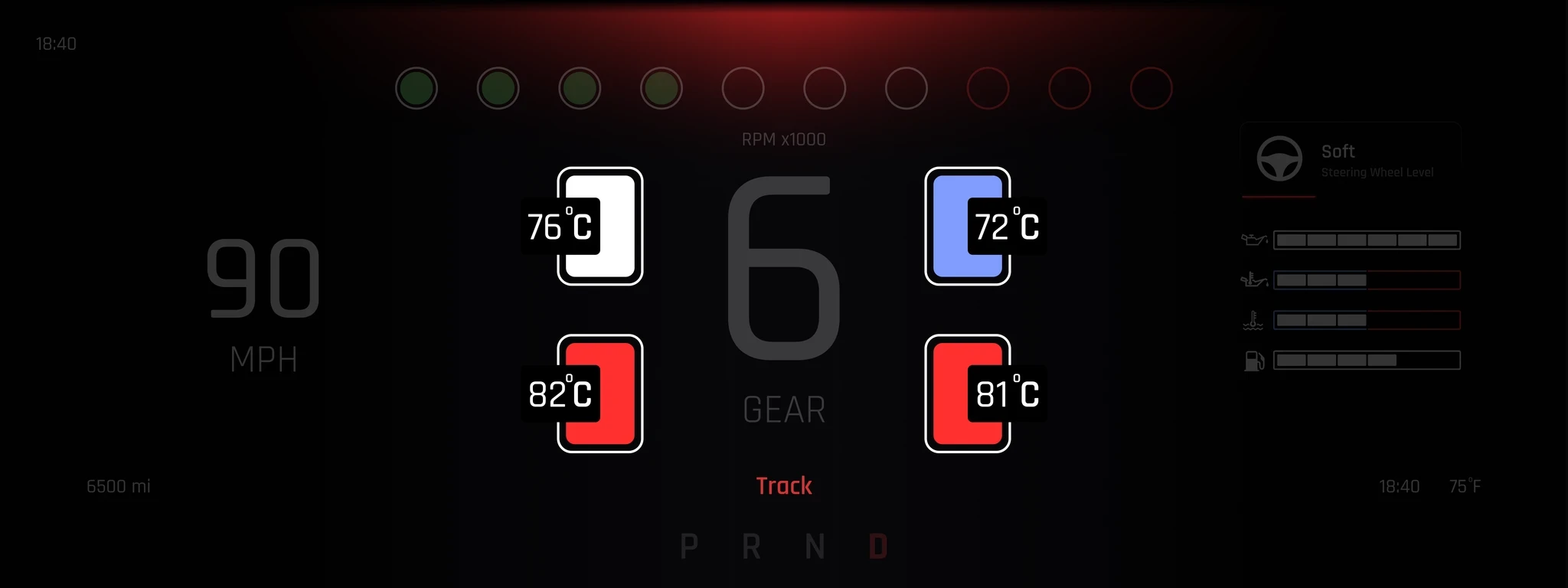
Real-Time Tire Temperature
Each corner of the dashboard shows individual tire temperatures, helping the driver assess grip and balance in real time—critical for high-speed cornering and consistent lap times.
Steering Wheel
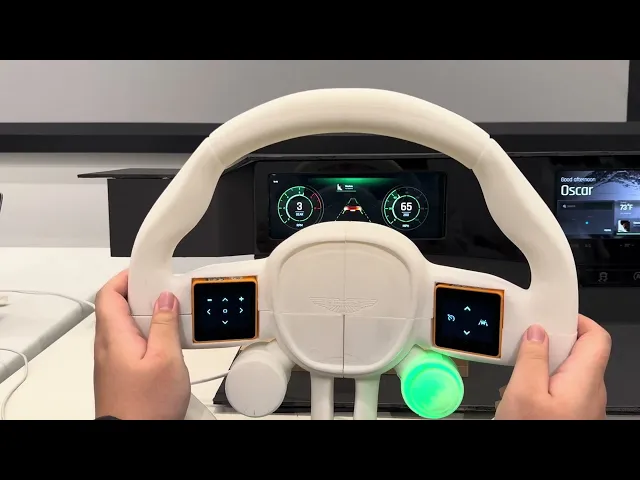
A 3D-printed steering wheel that blends luxury and performance—designed for both long-distance comfort and precise control on the track, while enabling direct interaction with the car’s digital systems.
This custom-designed steering wheel, 3D printed as a physical prototype, is built to bridge the elegance of grand touring with the raw precision of track driving. It serves as the driver’s primary point of contact—both physically and interactively—with the vehicle’s digital system.
Feature
Engine Start
Users start the vehicle by clicking a button in the lower right corner of the steering wheel, and we tightened the location of this button inward to prevent accidental contact
Mode Switch
Users switch to different modes of the vehicle by rotating the knob in the lower left corner, which has an rgb halo to help users better determine which mode they are in.
Multimedia Key
We embedded touch-sensitive screens on both sides of the steering wheel. With the icon above, the user can directly interact with the dashboard and the center display.
Track Multimedia Key
In TRACK mode, our two touch-sensitive screens change to three big icons. one adjusts steering wheel effort and one switches the head-up display on and off.
© 2026 Daniel Gu
Central Display
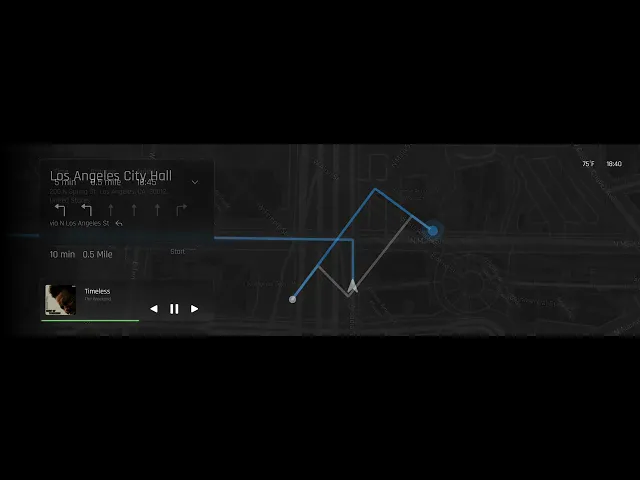
From navigation to performance settings, the Central UI is where information, control, and experience come together—bringing Aston Martin’s luxury and intelligence to the driver’s fingertips.
The Central Display serves as the main hub of communication between the driver and the vehicle. Designed to be intuitive and immersive, it allows users to control key functions, access driving modes, and receive feedback from the car in real time.
Feature
Dynamic Environment
The UI environment built in UE5, shifts with time of day and location, showing different scenes like a villa or city. Camera angles also change based on the car’s status for immersive experience.
Intuitive Navigation
Users can tap the map widget on the home screen to enter navigation mode. Turn-by-turn directions and media info appear as floating components on the interface.
Mode Sync Display
When the user rotates the mode selector on the steering wheel, the central UI responds with visual transitions—clearly reflecting the selected mode (GT, Sport, or Track) for better feedback.
Track Mode Interface
Prompts seat adjustment on entry, then displays lap times, track map, and car data during driving. After the race, it shows best lap, ranking, and suggestions for improvement.
Final Product
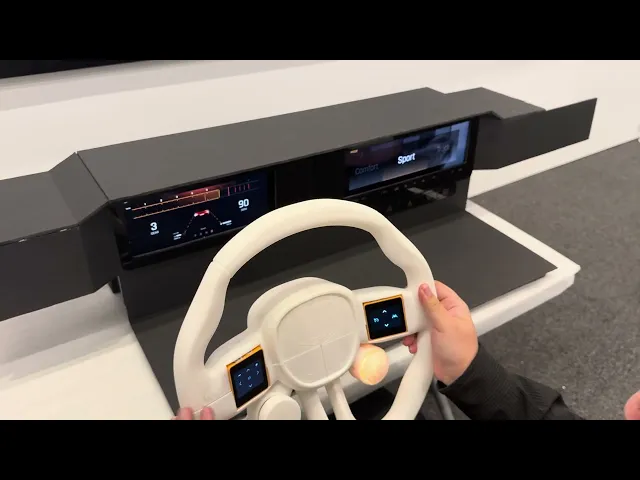
The final prototype integrates the physical steering wheel, digital dashboard, and central UI into a cohesive setup—housed within a custom-built interior rig that simulates the in-car environment.